Key Takeaways
- Version 1.3 of Axtra3D’s Volume suite introduces a revamped self‑support algorithm and a richer set of preparation tools.
- Volume Professional 1.3 ships standard with every Lumia X1 system and adds dimensional‑stability, collision‑detection, and build‑optimization utilities.
- Volume Industrial 1.3 builds on the Professional package with production‑grade features such as wire‑frame supports, texture mapping, advanced nesting, and live GPU‑accelerated collision checks.
- The new tools aim to cut part‑prep time by up to 30 %, improve build reliability, and enable tighter control of large‑format or high‑volume jobs.
Axtra3D’s Volume 1.3 Release Overview
Axtra3D has rolled out Volume Professional 1.3 and Volume Industrial 1.3, the latest software updates in its Axtra Workflow ecosystem for additive manufacturing. Both releases concentrate on the three pillars of successful 3D printing: part preparation, validation, and optimization. The core upgrade is a redesigned self‑supporting algorithm that automatically generates and manages supports with higher accuracy and lower material waste.
Volume Professional 1.3 – Standard Offering
- Bundled with Lumia X1: Every new Lumia X1 purchase includes a perpetual license for Volume Professional 1.3.
- Core toolset: Mesh handling, support generation, and slicing remain the baseline.
- New capabilities:
- Self‑support redesign – smarter placement of supports that respects overhang angles and reduces support volume by ~15 %.
- Dimensional‑stability analysis – predicts warpage and suggests part orientation.
- Collision detection – real‑time alerts for overlapping parts or supports.
- Model repair – one‑click fixing of non‑manifold geometry.
- Build‑area optimization – automatic part positioning to maximize platform utilization.
Volume Industrial 1.3 – Production‑Focused Expansion
An additional license unlocks a suite of tools tailored for large‑scale or high‑throughput environments. The following table highlights the functional differences between the two editions.
| Feature | Volume Professional 1.3 | Volume Industrial 1.3 |
|---|---|---|
| Self‑support algorithm | Redesigned, basic | Redesigned, wireframe supports for large prints |
| Texture handling | None | >100 built‑in textures + PNG displacement map import |
| Printability analysis | Simple overhang warning | Detailed angle mapping with color‑coded risk zones |
| Nesting & build‑area mgmt | Fixed grid placement | Advanced nesting, selective platform usage |
| Collision detection | CPU‑only, static check | Live GPU‑accelerated detection, real‑time feedback |
| Ground‑plane distance measurement | Manual | Automatic distance reporting |
| Import & repair | Separate steps | One‑step import‑analyze‑repair |
| Slice curve editing | Basic slicing | SLC/CLI/SVG curve split‑join, mesh reconstruction |
Production‑Oriented Features in Detail
- Accurate Wireframe Support Structures – Generates a lightweight lattice that surrounds large models, preserving dimensional fidelity while using up to 40 % less support material.
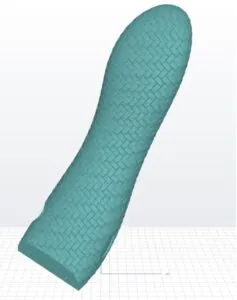
- Texturing Engine – Users can apply procedural or imported PNG displacement maps to any surface, enabling functional finishes without post‑processing.
- Printability Analysis – The software flags overhangs steeper than 45°, highlights them in red, and suggests support strategies.
- Advanced Nesting – Operators can carve out custom zones on the build platform, facilitating “add‑on” jobs or partial‑platform prints.
- Live Collision Detection – Powered by both GPU and CPU cores, the system flags intersecting geometries instantly, reducing trial‑and‑error iterations.
- Ground Plane Collision Distance – Provides a numeric clearance value (e.g., 0.25 mm) between parts and the build plate, helping to avoid “ghosting” defects.
- Advanced Import with Repair – A single command imports STL/OBJ files, runs topology checks, and auto‑repairs holes or flipped normals.
- Slice Curve Editing – Engineers can edit sliced output files (SLC, CLI, SVG), split or merge curves, and regenerate 3D meshes for downstream inspection.
Axtra Workflow & Axtra Academy
Both Volume editions integrate seamlessly into Axtra’s end‑to‑end workflow platform, which links CAD data, preparation software, and printer control. The Axtra Academy continues to provide free webinars, certification tracks, and on‑demand tutorials that cover the new 1.3 features, ensuring rapid adoption across enterprise floors.
Bottom Line
Axtra3D’s Volume 1.3 updates deliver a tangible productivity boost for both midsize shops (via Volume Professional) and high‑volume manufacturers (via Volume Industrial). By automating support generation, tightening collision detection, and adding texture and nesting capabilities, the suite promises up to a 30 % reduction in prep time and better material efficiency. Companies that already operate Lumia X1 systems can unlock these gains immediately through a simple license upgrade, while new buyers receive the Professional edition out‑of‑the‑box. In an increasingly competitive additive‑manufacturing market, the enhanced Axtra Workflow tools position Axtra3D as a strong contender for reliable, large‑scale 3D printing.